Zin Flow v2.8.3: A Beautifully Redesigned Browser Extension & Smarter Library
Introduction
The browser extension is how many of you interact with Zin Flow most often — you find an article worth keeping, tap the toolbar icon, and trust that it’s saved. For a flow that should feel effortless, the feedback you get in return matters enormously.
In v2.8.3, we’ve completely reimagined that feedback. The old corner toast is gone, replaced by a beautiful glass task interface that clearly communicates every stage of the save process. Alongside this redesign, we’ve polished the library experience, fixed chapter ordering in EPUB exports, and improved upgrade stability.
This update ships simultaneously on iOS, macOS, and both Safari and Chrome extensions.
A Redesigned Browser Extension: The Glass Task Interface
Saving a page with the extension used to show a small toast notification in the corner — easy to miss, easy to close by accident, and lacking any meaningful status feedback beyond a simple “saved” or “failed.”
The new experience is something else entirely.
What You’ll See
Click the Zin Flow toolbar icon on any page, and a centered glass card fades into view against a softly blurred backdrop of the page beneath. The effect is subtle but striking — like looking through frosted glass at the content behind, with a luminous card floating in the center.
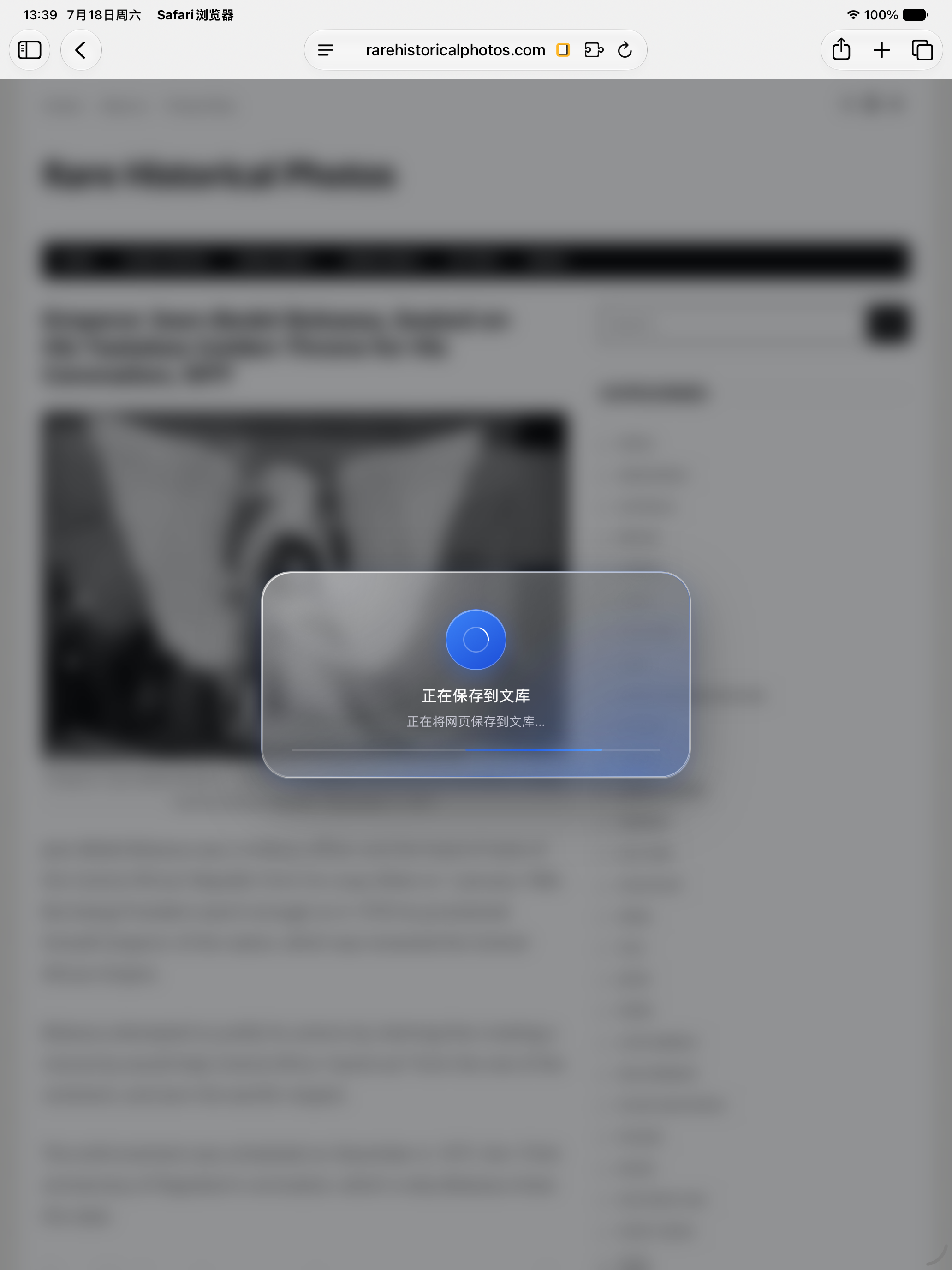 *The new glass task interface replaces the old corner toast with a centered, beautifully designed modal*
Clear Feedback at Every Step
Instead of a small corner notification that’s easy to miss, the glass card shows you exactly what’s happening — whether the extension is reading the page, saving it, or something went wrong. Each stage has its own color and icon, so you always know where things stand at a glance.
Failed saves are no longer a dead end. Hit Retry to try again — the extension remembers what it already extracted, so retries are nearly instant. And if you change your mind mid-save, just tap Cancel.
The same polished experience works identically across both Safari and Chrome. If you use reduced motion in your system settings, animations are disabled automatically.
Why This Matters
This change isn’t just about looks. The old toast was easy to miss — you’d click the icon, assume it worked, and move on. If it failed, you might not notice until you checked the app later. The glass interface demands your attention at the right moments and gives you control when things go wrong. It turns a once-opaque action into something you can trust without thinking about it.
Library Performance: Smoother Scrolling, Faster Loading
The article library now feels noticeably more responsive. Scrolling through a large collection is smoother, list content loads more quickly, and the loading trigger is more precise and reliable.
If you manage hundreds or thousands of articles, you’ll feel the difference the moment you open the library.
Smarter EPUB Chapter Ordering
A subtle but meaningful fix: EPUB chapters are now exported in natural reading order. If you’ve manually rearranged chapters by dragging them, that order is correctly preserved in the output. No more chapters appearing as 1, 10, 2 in your exported ebook.
More Improvements & Fixes
- Export Queue Badge Updates: The badge number on the export queue now reflects your current filter settings — if you’re viewing only unread items, the badge counts only unread queued articles.
- Upgrade Stability: We’ve improved database migration paths to ensure older versions and test-flight builds upgrade cleanly without data loss or crashes.
- SwiftData Migration Fix: Fixed a crash that could occur when upgrading from older versions.
- Audio Responsiveness: Sound effect preparation no longer blocks your interactions, making the app feel more responsive.
Conclusion
v2.8.3 is a release about closing the loop. When you save an article, you should know it worked. When you scroll through your library, it should feel fluid. When you export a book, the chapters should be in the right order. And when you upgrade, nothing should break.
The glass task interface is the centerpiece — a small change in code that makes a real difference in daily use. We hope it makes saving articles feel as good as reading them.
Download the latest version here: Zin Flow on the App Store
Notes
Meta Description: Zin Flow v2.8.3 introduces a completely redesigned browser extension experience with a stunning glass task interface, alongside significant library performance improvements, smarter EPUB chapter ordering, and critical stability fixes.
Keywords: ZinFlow v2.8.3, Safari extension, Chrome extension, glass task interface, frosted glass UI, EPUB chapter ordering, library performance, SwiftData migration fix, database indexing